AI Chatbots
How to Measure RAG Accuracy Before You Launch
RAG accuracy is two scores, not one. See how to build a gold question set, measure both halves, and set release gates that hold.
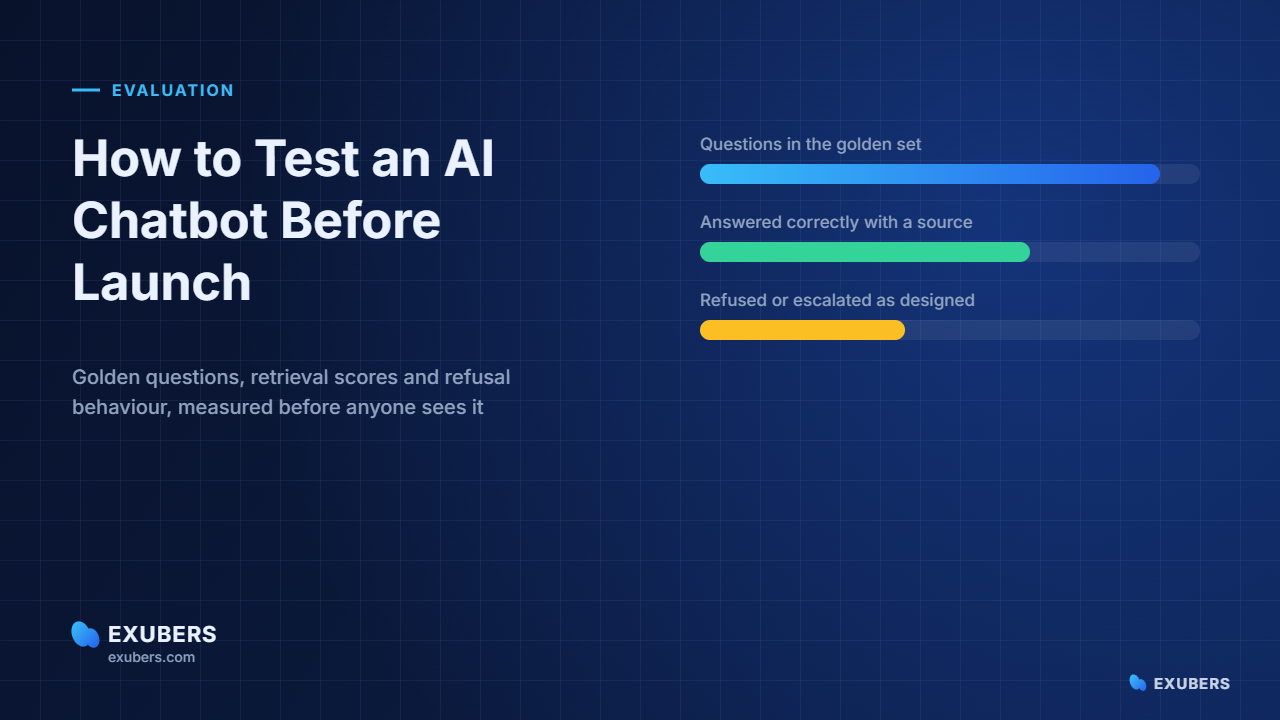
A repeatable way to test an AI chatbot before launch: build a golden question set, score retrieval and grounding separately, and hold four release gates.
 By Yatin Chaudhary
11 min read
Updated 4 Sep 2026
By Yatin Chaudhary
11 min read
Updated 4 Sep 2026
Teams rarely test an AI chatbot properly. They run a demo, watch it answer five friendly questions, and call the pilot a success. Two weeks later, real users find the edges.
Fortunately, evaluation is not difficult. It simply needs a fixed question set, four scores and a rule about what blocks a launch.
This guide sets out that method. Moreover, it gives target numbers for each gate, so the go-live conversation becomes a measurement rather than an argument.
In truth, demos are written backwards. Somebody finds questions the assistant already answers well, then arranges them into a story.
Real users, however, behave differently. They ask about exceptions, they use internal jargon, and they phrase things in ways no product manager predicted.
Consequently, the first honest signal comes from questions you did not choose. Pull them from your help desk, your support inbox and the channels where people already ask each other.
There is a second problem with demos. Because nobody records the results, you cannot tell whether last week’s change improved anything or quietly broke something else.
To begin with, the golden set is a list of real questions with the correct source document noted beside each one. It is the single most valuable artefact of the whole project.
Generally, fifty questions is enough to start. In practice, aim for a mix rather than volume, and cover these five groups.
Record the expected source for each question, and the expected behaviour for the last two groups. Afterwards, that file becomes your regression suite for every future change.
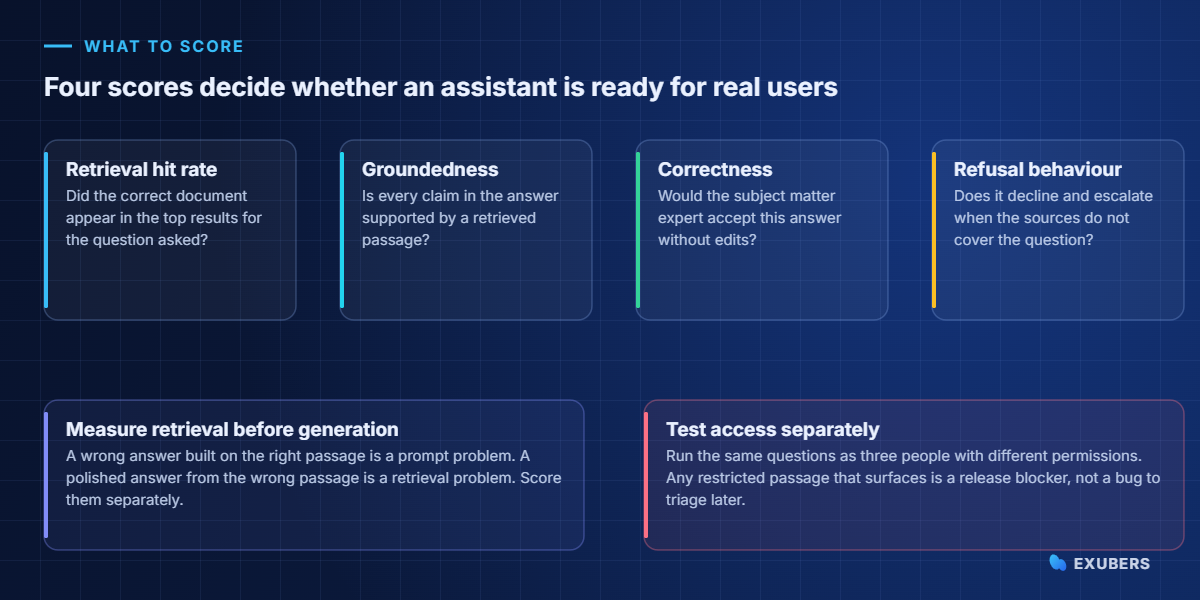
Broadly, four measures cover almost every failure mode. Above all, keep them separate, because a single satisfaction score hides which stage went wrong.
| Score | Question it answers | Target before launch |
|---|---|---|
| Retrieval hit rate | Did the right document reach the top five results? | 90 per cent or higher |
| Groundedness | Is every claim supported by a retrieved passage? | 95 per cent or higher |
| Correctness | Would an expert accept the answer unchanged? | 85 per cent or higher |
| Correct refusal | Does it decline when the sources do not cover the question? | Close to 100 per cent |
Correctness needs a human reviewer, at least at first. However, retrieval and groundedness can be scored automatically, which makes them cheap enough to run on every change.
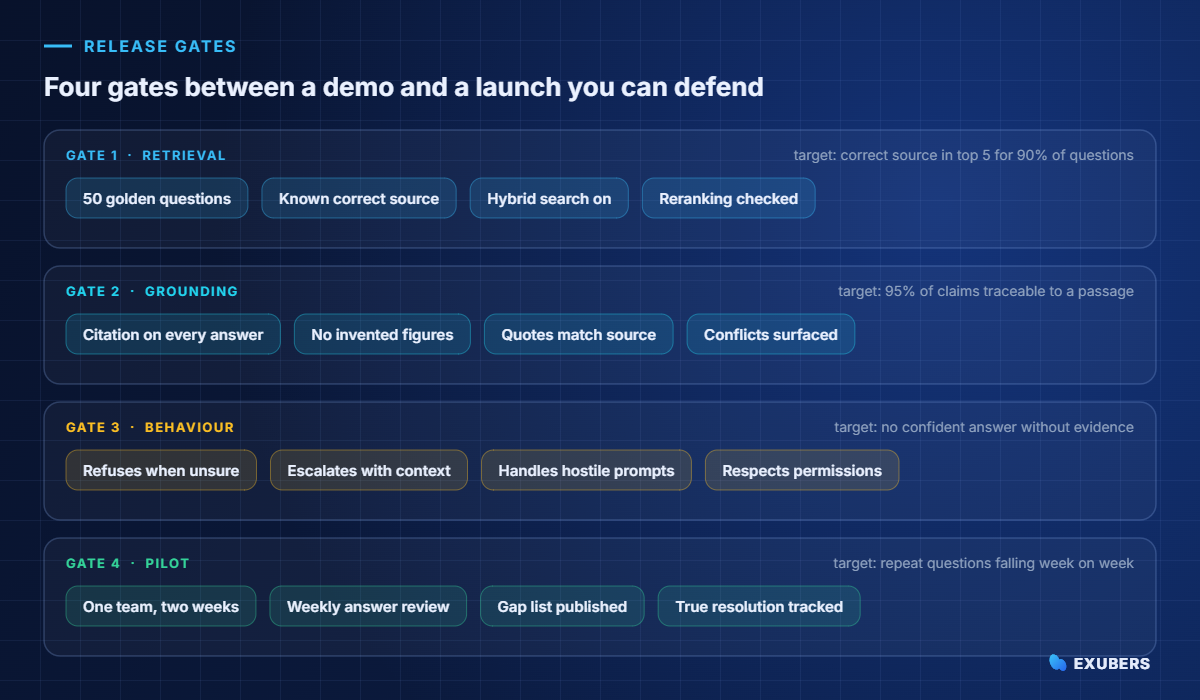
Naturally, gates work because they force a decision. Instead of debating whether the assistant feels ready, you check whether it cleared the number you agreed on last month.
First, run the golden set through retrieval alone and ignore the generated text entirely. For each question, check whether the expected document appears in the top results.
When it does not, the cause is usually one of four things.
| Symptom | Likely cause | Fix |
|---|---|---|
| Right document, buried at rank 20 | Reranking missing or weak | Add a reranker and re-measure |
| Vague questions fail, precise ones work | Keyword search dominating | Balance the hybrid search weights |
| Answer exists but never retrieved | Extraction failed on that file | Check parsing and character recognition |
| Old version wins over new | No freshness signal in ranking | Index effective dates and prefer current versions |
In essence, grounding asks a narrow question. Can each sentence in the answer be traced to a passage the system actually retrieved?
Next, check three things by hand for the first twenty answers. Do the quoted phrases appear in the source? Do numbers and dates match exactly? Does the citation point at the section that contains the claim, rather than the document in general?
Similarly, numbers deserve extra scepticism. Models paraphrase figures comfortably, so a percentage that reads plausibly may have drifted from the table it came from.
Conflicts matter as well. When two documents disagree, a good assistant surfaces both and names the newer one, whereas a weak one picks a side silently. Our guide on stopping chatbot hallucinations covers the guardrails in detail.
Ultimately, behaviour under uncertainty separates a production assistant from a demo. Therefore, test the cases where the correct answer is a polite refusal.
Notably, prompt injection deserves a dedicated test. Place a document in your index containing an instruction such as ignore previous rules, then confirm the assistant treats it as content rather than as a command.
Specifically, run the whole golden set three times, once as each of three accounts with different access levels. Compare what each account sees.
In short, the rule is simple. If a restricted passage appears for an account that should not reach it, the launch stops until the filtering is fixed.
Timing matters here too. Change a permission, then re-run the same question immediately, because a nightly permission refresh will pass this test while failing in production.
For Indian organisations, this is also a compliance step rather than a nicety. Employee and customer records fall under the DPDP Act, and permission-aware retrieval is what keeps access consistent with your existing controls.
Offline scores predict quality, yet they cannot predict phrasing. So the final gate is a small live pilot with one team and full logging.
Meanwhile, watch four things during those two weeks. The share of questions answered with a citation. The share escalated with context attached. The list of questions nobody could answer. Finally, whether the same person asks the same thing twice.
That last measure is the honest one. A repeat question means the first answer did not land, whichever score the offline suite produced.
So review the logs weekly with the content owner beside you. Because most fixes are editorial, the person who can rewrite the page should see the failures directly.
Of course, quality is not the only gate. Operations teams will ask about speed and spend, and those answers should exist before launch.
| Measure | Why it matters | Reasonable target |
|---|---|---|
| Median response time | Slow answers push people back to asking a colleague | Under 10 seconds |
| Slowest 5 per cent | Outliers shape the reputation of the tool | Under 25 seconds |
| Cost per answered question | Makes the business case concrete | Compare against agent handling cost |
| Sync lag | Time between a document changing and answers changing | Minutes, not days |
| Failure rate | Errors, timeouts and empty responses | Below 1 per cent |
Importantly, evaluation is not a launch task. Content changes weekly, models change quarterly, and both shift the results underneath you.
Fortunately, a simple rhythm works well. Run the golden set on every configuration change, review flagged answers weekly for the first month, then move to a monthly cycle once the numbers hold steady.
In addition, grow the set as you go. Every question that produced a bad answer becomes a permanent test case, which is how the suite gets stronger over time.
Keep the results in one place, with dates. In addition, note what changed between runs, since an unexplained drop is far easier to diagnose when the history is visible.
Happily, a spreadsheet takes you further than most people expect. Fifty rows, one column for the question, one for the expected source, and one per run for the result.
Dedicated evaluation tools help once the suite grows past a few hundred cases, mainly because they automate scoring and keep history. Even then, the questions themselves remain the valuable part.
Furthermore, model-graded scoring is useful for groundedness, provided you spot-check it. Meanwhile, correctness still benefits from a human reviewer who knows the subject.
Whatever you choose, keep the golden set in your own repository. It should outlive any platform decision you make this year.
Some questions expose weaknesses reliably, whatever the industry. Consequently, they are worth adding to every golden set on day one.
Also, score these separately from the everyday questions. Otherwise the hard cases disappear into an average that looks healthier than the experience feels.
Five habits cause most of the wasted effort. Fortunately, each one is easy to correct once you notice it.
Above all, keep the suite boring and repeatable. The value comes from running the same questions again next month, not from designing a clever evaluation framework.
Many Indian teams ask questions in Hindi, in English, or in a mixture of both. Therefore the golden set should reflect that reality rather than assuming everyone types in English.
To start, translate twenty questions from your suite and add them as separate cases. Then check two things. Does retrieval still return the same source document, and does the answer come back in the language the person used?
Mixed script deserves its own cases as well. Plenty of employees write Hindi words in the Latin alphabet, and a system tuned only on clean text will miss them.
Score language fairness explicitly. If the English questions score ninety per cent and the Hindi ones score sixty, you have a retrieval problem rather than a translation problem, and the fix usually sits in the embedding and reranking layer.
Finally, keep citations pointing at the original document. The source of truth stays in the language it was written in, even when the answer is delivered in another one.
Fifty is a workable start, and two hundred gives stable numbers. Coverage of question types matters far more than the raw count.
The people who answer these questions today. Support agents and HR generalists know the real phrasing, whereas project teams tend to write tidy questions nobody asks.
Retrieval and groundedness can be scored automatically with good reliability. Correctness needs human review at first, although sampling reduces the effort considerably.
Ninety per cent retrieval, ninety-five per cent groundedness and correct refusal behaviour is a defensible bar for internal use. Customer-facing assistants should aim higher.
Ask questions your content cannot answer and check the response. A grounded assistant refuses and offers a handoff, while an ungrounded one produces something confident and unverifiable.
Yes, and the golden set makes that cheap. Run it before and after, then compare the four scores rather than relying on impressions.
To begin with, open a spreadsheet this week. Write fifty real questions, note the document that answers each one, and run them through retrieval before you look at a single generated sentence.
Then set your gates and hold them. If you want a platform where retrieval, citations, permission filtering and logging are already in place, Intellowork gives you a system that is straightforward to test an AI chatbot against, because every answer arrives with the sources it used.
Read next: How to measure RAG accuracy before you launch.

Yatin Chaudhary writes on enterprise search, AI retrieval and platform engineering at Exubers Technologies, where the team builds search, AI, cloud and DevOps systems for enterprises across India and the GCC.
RAG accuracy is two scores, not one. See how to build a gold question set, measure both halves, and set release gates that hold.
A multilingual AI chatbot answers a Hindi question from English documents. Here is the architecture, the testing method and a…
A voice AI agent answers support calls from your own documents. See the stack, the latency budget and a safe rollout plan.
Tell us what you are trying to ship. We will tell you what it actually takes — scope, sequence and the risks worth knowing about before you commit budget.