AI Chatbots
How to Measure RAG Accuracy Before You Launch
RAG accuracy is two scores, not one. See how to build a gold question set, measure both halves, and set release gates that hold.
Every day, employees search for information inside their organization. They look for policies, contracts, presentations, project documentation, customer records, SOPs, and technical guides…
 By Yatin Chaudhary
15 min read
Updated 1 Sep 2026
By Yatin Chaudhary
15 min read
Updated 1 Sep 2026
Every day, employees search for information inside their organization. They look for policies, contracts, presentations, project documentation, customer records, SOPs, and technical guides. Yet, despite having access to powerful software, finding the right information often takes far longer than expected.
The problem isn’t that the information doesn’t exist—it’s that traditional search systems struggle to understand what users actually mean.
For decades, search engines relied on keyword matching. If the exact words typed by a user appeared inside a document, that document was considered relevant. If the wording was different, even if the meaning was the same, the document could easily be missed.
Today’s workplaces generate enormous amounts of data across cloud drives, collaboration platforms, CRMs, HR systems, and internal knowledge bases. Employees expect search tools to work like modern AI assistants—understanding intent, context, and conversational questions.
This shift has made Semantic Search one of the most important technologies in Enterprise AI.
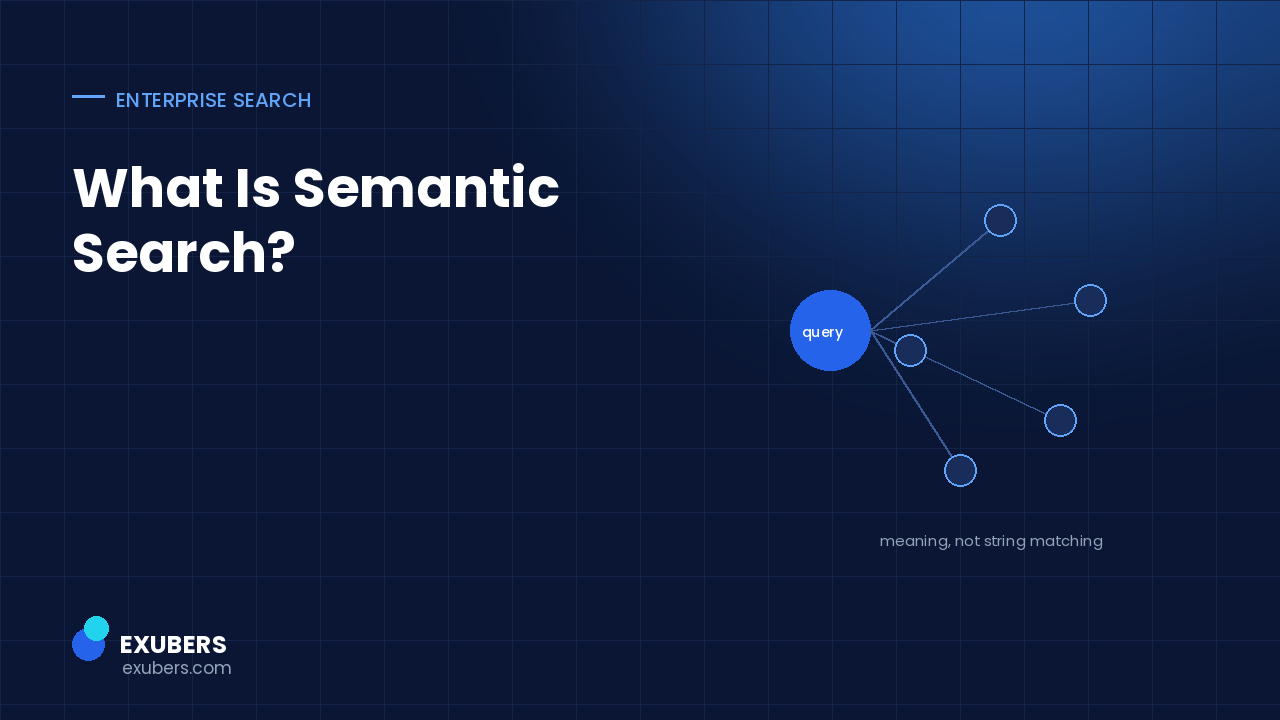
Rather than searching for identical words, Semantic Search understands the meaning behind a query and retrieves the most relevant information based on context.
In this guide, you’ll learn what Semantic Search is, how it works, how it differs from traditional keyword search, and why it has become the foundation of modern Enterprise Search platforms and AI-powered knowledge management systems.
Semantic Search is an AI-powered search technique that understands the intent, meaning, and context behind a user’s query instead of relying only on exact keyword matches.
Instead of asking:
“Does this document contain these exact words?”
Semantic Search asks:
“What is the user trying to find?”
This difference completely changes the search experience.
For example, imagine an employee searches for:
“Remote work policy.”
A traditional search engine might only return documents that contain those exact words.
A Semantic Search engine understands that documents titled:
all refer to the same concept, even though they use different wording.
This enables employees to find accurate information much faster without needing to know exact file names or keywords.
Keyword search has been the foundation of enterprise search systems for many years.
While it works for simple searches, it becomes increasingly ineffective as organizations generate more content and employees use natural language to search for information.
Some of the biggest limitations include:
Traditional search depends heavily on exact word matching.
If users don’t know the correct terminology, they may never find the information they need.
Keyword search cannot distinguish between different meanings of the same word.
For example, searching for:
“Java”
could refer to:
Without contextual understanding, search results become less useful.
Modern employees ask questions conversationally.
Examples include:
Traditional search struggles with conversational queries because it expects keywords rather than complete questions.
Keyword search often returns hundreds of documents.
Employees must manually open multiple files before finding the correct answer.
This increases search time and reduces productivity.
Semantic Search combines multiple Artificial Intelligence technologies to understand language more like humans do.
Rather than comparing words, it compares meaning.
Let’s explore the key components.
Natural Language Processing (NLP) enables computers to understand human language.
Instead of breaking a query into isolated keywords, NLP analyzes:
For example:
“Show me the latest onboarding process.”
The AI understands that the user wants a current document related to employee onboarding rather than simply searching for documents containing the word “process.”
Machine Learning allows search systems to improve continuously.
As employees interact with search results, the AI learns which documents are most helpful.
Over time, this improves search relevance and user satisfaction.
Semantic Search evaluates the context surrounding both the user’s query and the available documents.
For example:
Searching for:
“Employee handbook”
may also retrieve:
because the AI recognizes their relationship.
AI identifies important entities within a query.
Examples include:
Understanding these entities improves search precision.
Perhaps the most valuable capability is intent detection.
Instead of focusing only on words, the AI determines what the user actually wants.
For example:
“Show me last month’s sales report.”
The AI understands:
This enables significantly more accurate search results.
Understanding the difference between these two approaches helps explain why enterprises are adopting AI-powered search platforms.
| Feature | Keyword Search | Semantic Search |
|---|---|---|
| Exact Keyword Matching | ✅ | Optional |
| Understands Meaning | ❌ | ✅ |
| Context Awareness | ❌ | ✅ |
| Natural Language Queries | Limited | ✅ |
| Intent Recognition | ❌ | ✅ |
| Learns Over Time | Limited | ✅ |
| Handles Synonyms | Poorly | Excellent |
| AI-Powered Ranking | ❌ | ✅ |
Traditional search asks:
“Which documents contain these words?”
Semantic Search asks:
“Which documents best answer this question?”
That single shift dramatically improves enterprise productivity.
Semantic Search is not a single technology. It combines several advanced AI capabilities.
AI converts words into mathematical representations called embeddings.
Instead of storing only the word itself, embeddings capture relationships between concepts.
For example:
“Car”
and
“Automobile”
are represented closely because they share similar meaning.
This allows AI to recognize related concepts automatically.
Once documents are converted into embeddings, they are stored inside a vector database.
Instead of matching text, Vector Search compares the similarity between meanings.
This enables employees to find relevant documents even when they use completely different wording.
Vector Search has become one of the core technologies powering Enterprise AI applications.
Knowledge Graphs connect information across people, departments, projects, products, and documents.
Instead of treating documents independently, the AI understands how information is related.
For example:
An employee searching for a product may automatically receive:
because the AI recognizes their relationship.
Large Language Models help interpret complex questions and generate conversational responses.
When combined with Semantic Search, LLMs make enterprise search feel more like interacting with an intelligent colleague than using a traditional search engine.
However, enterprise AI should never rely solely on an LLM.
To provide trustworthy answers, it must retrieve information from verified organizational data.
This is why Semantic Search is commonly paired with Retrieval-Augmented Generation (RAG).
Organizations create massive amounts of information every day.
Without intelligent search, employees waste valuable time looking for documents, asking colleagues for help, or recreating existing work.
Semantic Search transforms enterprise knowledge into an accessible business asset.
Instead of remembering keywords or folder structures, employees simply ask questions in natural language and receive accurate, context-aware answers.
This improves productivity, collaboration, onboarding, and decision-making across the organization.
More importantly, it creates the foundation for modern Enterprise AI applications, AI assistants, and intelligent knowledge management systems.
Semantic Search is more than an improvement over traditional search. It changes how employees interact with organizational knowledge.
Instead of spending valuable time searching across multiple systems, employees can quickly retrieve accurate information using natural language.
For growing businesses and large enterprises, this leads to measurable improvements in productivity, collaboration, and decision-making.
Employees often spend several hours each week searching for documents, presentations, policies, emails, or technical documentation.
Semantic Search dramatically reduces this search time by understanding the user’s intent rather than relying only on exact keyword matches.
Instead of opening multiple files to find the correct answer, employees receive the most relevant information within seconds.
Searching for information is one of the biggest hidden productivity drains inside organizations.
Semantic Search allows employees to spend less time looking for knowledge and more time completing meaningful work.
Whether it’s finding an HR policy, retrieving a customer proposal, or locating technical documentation, employees work more efficiently when information is instantly accessible.
Traditional search engines often return dozens—or even hundreds—of results.
Semantic Search prioritizes documents based on meaning, context, and relevance.
This significantly improves search accuracy while reducing information overload.
Employees no longer need to remember exact file names or document titles.
One of the biggest advantages of Semantic Search is its ability to uncover related information automatically.
For example, if an employee searches for:
“ISO 27001 compliance”
The AI may also recommend:
This broader context improves understanding and supports better decision-making.
Business information is often distributed across:
Semantic Search connects these disconnected systems into a unified search experience.
Employees no longer need to know where information is stored—they simply ask for it.
Employees increasingly expect workplace technology to be as intuitive as consumer AI tools.
Instead of memorizing folder structures or searching through multiple applications, they can ask conversational questions and receive immediate answers.
This improves user satisfaction while encouraging greater adoption of enterprise knowledge systems.
Semantic Search is now used across nearly every business function.
HR teams manage large volumes of documentation, including:
Employees can ask questions naturally and receive verified information without contacting HR for routine queries.
IT departments manage extensive technical documentation.
Semantic Search helps employees quickly find:
Support teams spend less time answering repetitive questions.
Sales professionals require immediate access to:
Semantic Search enables faster proposal creation and improves customer response times.
Support agents frequently search knowledge bases while assisting customers.
Semantic Search retrieves:
This improves first-contact resolution and customer satisfaction.
Legal teams often work with thousands of contracts and compliance documents.
Semantic Search helps them quickly locate:
This significantly reduces document review time.
Finance departments benefit by quickly retrieving:
Employees spend less time searching and more time analyzing business performance.
Modern Enterprise AI platforms depend heavily on Semantic Search.
Without understanding context and meaning, AI assistants would struggle to provide accurate responses.
Semantic Search enables Enterprise AI to:
This makes Enterprise AI significantly more useful than traditional search systems.
Semantic Search and Retrieval-Augmented Generation (RAG) work together to deliver trustworthy AI responses.
The process typically looks like this:
The employee asks a question.
Example:
“What is our travel reimbursement policy?”
Semantic Search identifies the documents that best match the meaning of the question.
RAG retrieves those verified documents from enterprise systems.
The Large Language Model generates a response using the retrieved information instead of relying solely on its pre-trained knowledge.
The employee receives an accurate, context-aware answer grounded in the organization’s own data.
This approach reduces hallucinations and increases confidence in AI-generated responses.
Semantic Search is delivering value across many sectors.
Hospitals use Semantic Search to help staff quickly access treatment guidelines, operational procedures, and compliance documentation.
Financial institutions retrieve policies, regulations, audit records, and customer documentation faster while maintaining strict security controls.
Manufacturers locate maintenance manuals, quality procedures, production documentation, and safety guidelines more efficiently.
Retail businesses improve access to inventory information, supplier documentation, customer support knowledge, and employee training materials.
Universities and educational institutions use Semantic Search to organize research papers, learning resources, institutional policies, and administrative documentation.
Government agencies improve access to regulations, public service documentation, operational procedures, and internal knowledge repositories while maintaining governance standards.
Knowledge Management depends on making organizational knowledge easy to find and use.
Without intelligent retrieval, even the most comprehensive knowledge base becomes difficult to navigate.
Semantic Search transforms static knowledge repositories into intelligent systems that understand context, relationships, and user intent.
This helps organizations:
For businesses investing in Enterprise AI, Semantic Search is no longer optional—it is a foundational capability.
Intellowork uses Semantic Search as a core component of its Enterprise AI platform.
Instead of relying only on keyword matching, Intellowork understands the intent behind employee questions and retrieves the most relevant information from connected enterprise systems.
Combined with Enterprise Search, Retrieval-Augmented Generation (RAG), and enterprise-grade security, Semantic Search enables Intellowork to provide fast, accurate, and permission-aware answers across business knowledge.
Whether employees need HR policies, technical documentation, sales resources, compliance manuals, or project information, Intellowork helps them find trusted answers through a single AI-powered search experience.
Successfully implementing Semantic Search requires more than deploying an AI model. Organizations should build a strong knowledge foundation that ensures employees receive accurate, secure, and relevant information.
Semantic Search performs best when it has access to organizational knowledge from multiple business systems.
Businesses should connect platforms such as:
Creating a unified knowledge layer allows employees to search across the entire organization instead of searching each application individually.
AI can only retrieve the information that exists.
Outdated documentation, duplicate files, and inaccurate policies reduce the quality of search results.
Organizations should establish a regular review process for:
Maintaining accurate content improves trust in AI-powered search.
Enterprise knowledge often includes confidential information.
A Semantic Search platform should always follow role-based access controls.
Employees should only see documents they are authorized to access.
Permission-aware search is essential for security, governance, and compliance.
Well-structured documentation improves search quality.
Best practices include:
These practices help AI understand documents more effectively.
Search behavior provides valuable insights.
Organizations should track:
These insights help continuously improve both the knowledge base and the AI search experience.
Many organizations invest in AI search but fail to achieve expected results because of avoidable implementation mistakes.
Semantic Search improves access to information, but it cannot fix poor or incomplete documentation.
High-quality enterprise content remains the foundation of successful AI adoption.
Duplicate files, outdated policies, and inconsistent naming conventions confuse both employees and AI systems.
Organizations should regularly clean and organize their knowledge repositories.
If AI only searches one application, employees still need to manually search other systems.
The greatest value comes from connecting multiple enterprise platforms into one unified search experience.
Enterprise AI should never expose confidential information.
Strong authentication, encryption, audit logs, and role-based permissions are critical for protecting business data.
Even the most advanced search platform requires user adoption.
Organizations should educate employees on:
Semantic Search is evolving rapidly alongside advances in Artificial Intelligence.
Future enterprise search platforms will become even more intelligent by combining:
Instead of simply retrieving information, future systems will:
Enterprise search will shift from being a document retrieval tool to becoming an intelligent business assistant.
Organizations generate more digital information every year.
Without intelligent search, valuable knowledge remains hidden across disconnected systems.
Semantic Search helps businesses:
Companies that invest in intelligent search today are better positioned to scale efficiently and adopt future AI capabilities.
Intellowork combines Semantic Search, Enterprise Search, Retrieval-Augmented Generation (RAG), and AI-powered knowledge management into a single enterprise platform.
Instead of relying on traditional keyword search, Intellowork understands the meaning behind employee queries and retrieves relevant information from connected enterprise systems while respecting existing access permissions.
With secure integrations across Google Workspace, Microsoft 365, SharePoint, Slack, Microsoft Teams, CRM platforms, HRMS software, and internal databases, Intellowork enables organizations to:
By combining Semantic Search with RAG, Intellowork ensures responses are grounded in verified organizational data, helping businesses reduce AI hallucinations and increase confidence in AI-generated answers.
Semantic Search is an AI-powered search technique that understands the meaning, context, and intent behind a user’s query instead of relying only on exact keyword matching.
Traditional keyword search looks for exact words or phrases. Semantic Search analyzes the meaning behind a query and retrieves relevant information even when different terminology is used.
It helps employees find information faster, improves productivity, reduces knowledge silos, enhances collaboration, and supports AI-powered knowledge management across multiple business systems.
Yes. Modern Semantic Search combines Natural Language Processing (NLP), Machine Learning, Vector Search, Knowledge Graphs, and Large Language Models (LLMs) to understand user intent and improve search relevance.
Semantic Search identifies the most relevant enterprise content, while Retrieval-Augmented Generation (RAG) retrieves that trusted information before an AI model generates a response. Together, they improve accuracy and reduce hallucinations.
Yes. Enterprise platforms can connect with Google Workspace, Microsoft 365, SharePoint, Slack, Teams, CRM systems, HRMS platforms, internal databases, and other repositories to provide a unified search experience.
Intellowork uses Semantic Search to understand employee intent, retrieve relevant enterprise knowledge from connected systems, and deliver secure, context-aware answers powered by RAG and Enterprise AI technologies.
The way organizations search for information has fundamentally changed.
Traditional keyword-based search can no longer keep up with the growing volume and complexity of enterprise data. Employees need systems that understand intent, recognize context, and provide accurate answers rather than long lists of documents.
Semantic Search meets this need by combining AI, Natural Language Processing, Vector Search, and Retrieval-Augmented Generation to create a smarter, faster, and more intuitive search experience.
As Enterprise AI adoption continues to grow, Semantic Search will become a core capability for organizations that want to improve productivity, strengthen knowledge management, and enable intelligent decision-making.
Businesses that embrace Semantic Search today will be better prepared for the future of AI-powered work.

Yatin Chaudhary writes on enterprise search, AI retrieval and platform engineering at Exubers Technologies, where the team builds search, AI, cloud and DevOps systems for enterprises across India and the GCC.
RAG accuracy is two scores, not one. See how to build a gold question set, measure both halves, and set release gates that hold.
A multilingual AI chatbot answers a Hindi question from English documents. Here is the architecture, the testing method and a…
A repeatable way to test an AI chatbot before launch: build a golden question set, score retrieval and grounding separately, and…
Tell us what you are trying to ship. We will tell you what it actually takes — scope, sequence and the risks worth knowing about before you commit budget.